How it looks
Recording
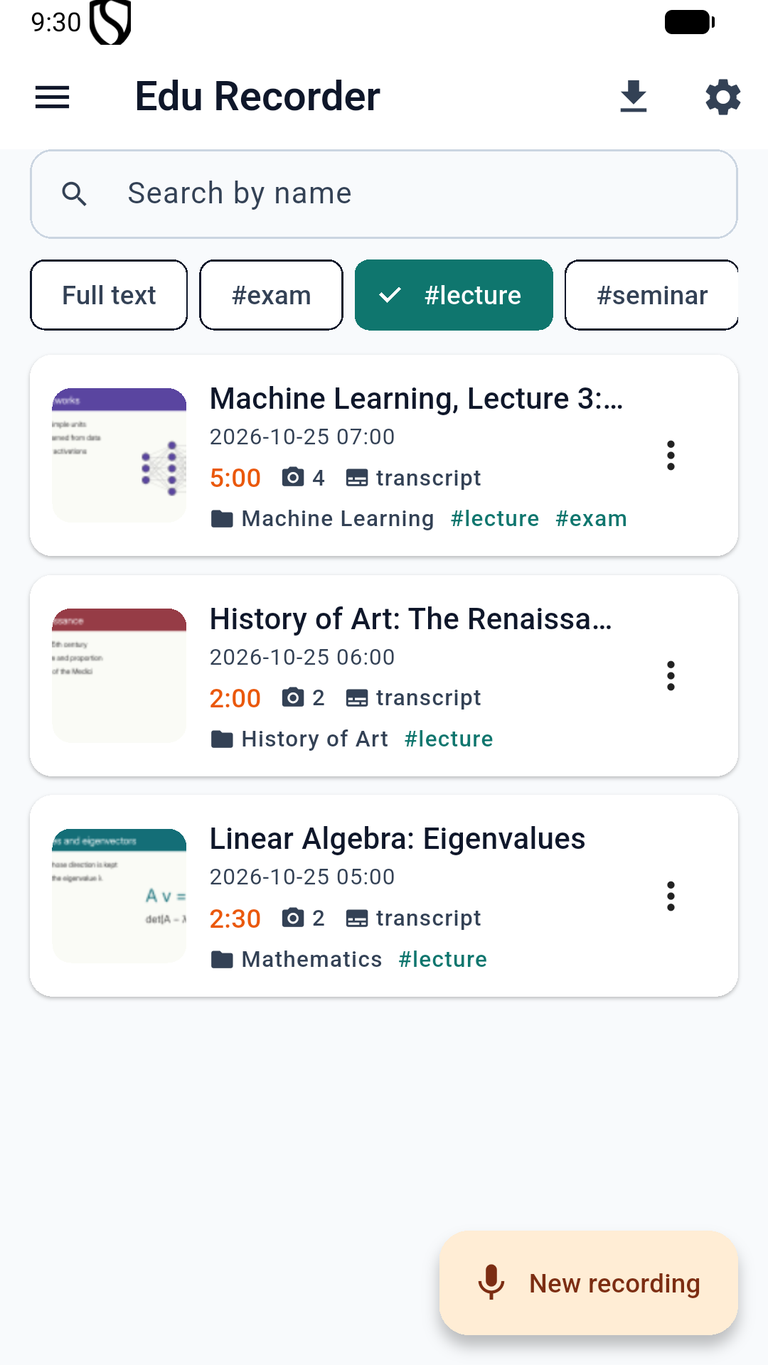
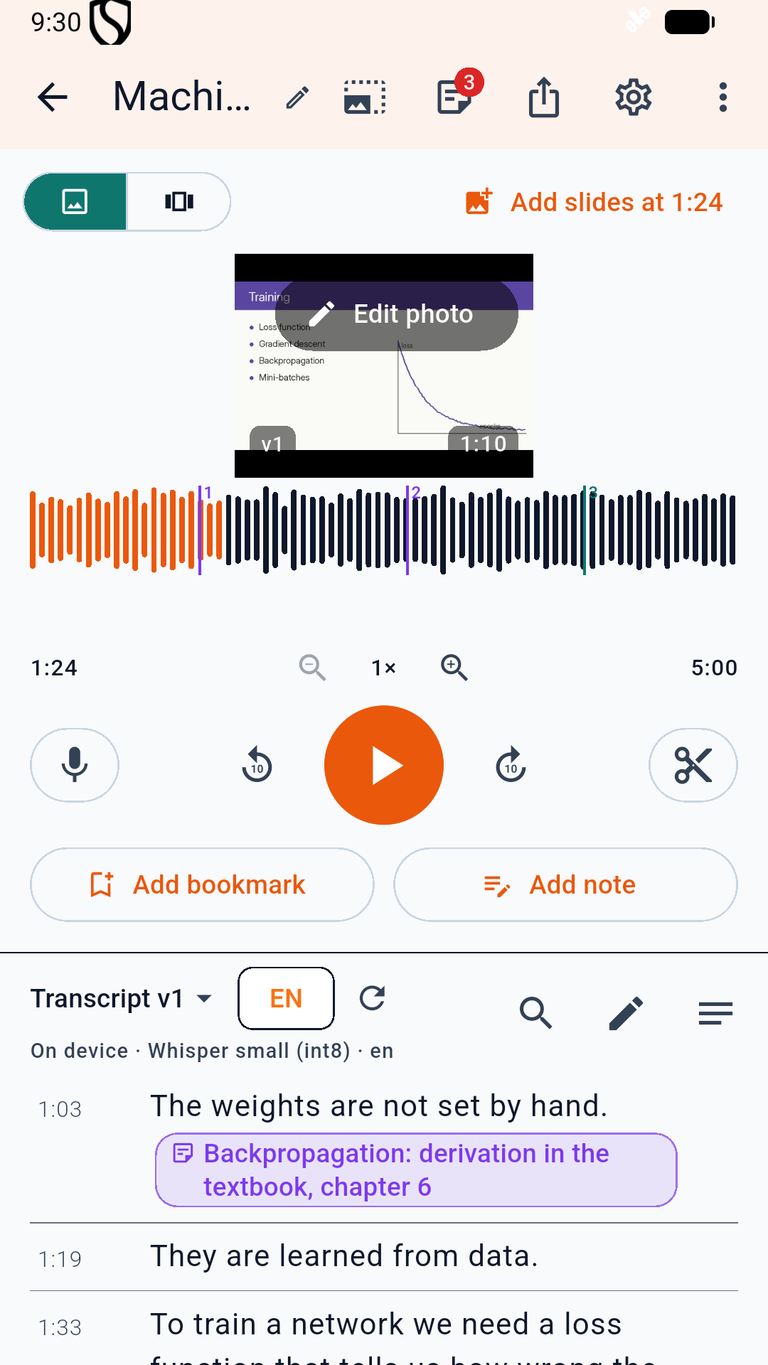
- Record the lecture and take photos of the slides as they come – each photo is placed on the timeline at the moment it was taken.
- Bookmarks with notes mark the important parts; recording continues with the screen off.
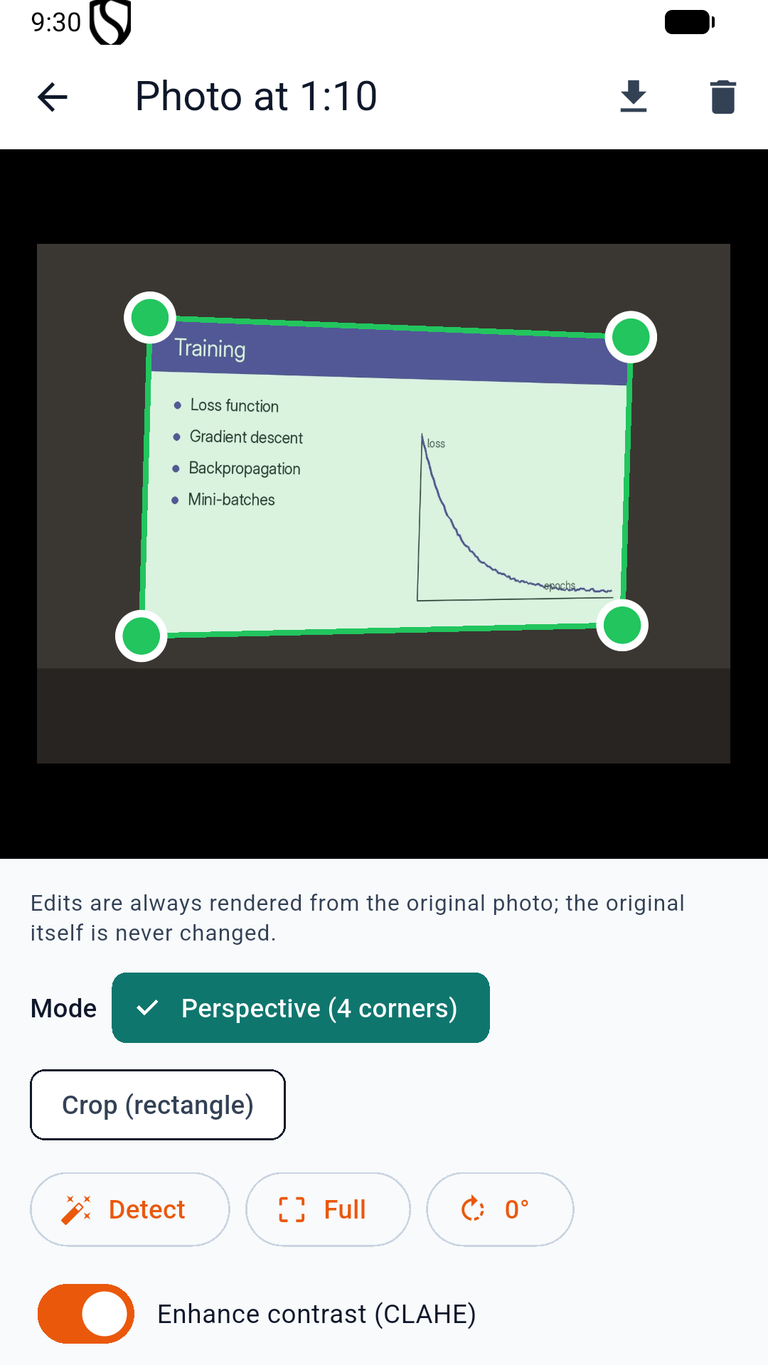
- Slide photos can be straightened with draggable corners, cropped, rotated and enhanced; the original is always kept.
Transcription and study
- Speech is transcribed on the device with downloadable speech-recognition models (including Slovak Whisper models); optionally with ElevenLabs using your own API key.
- Playback shows the slide and highlights the spoken word; tap a word to jump there.
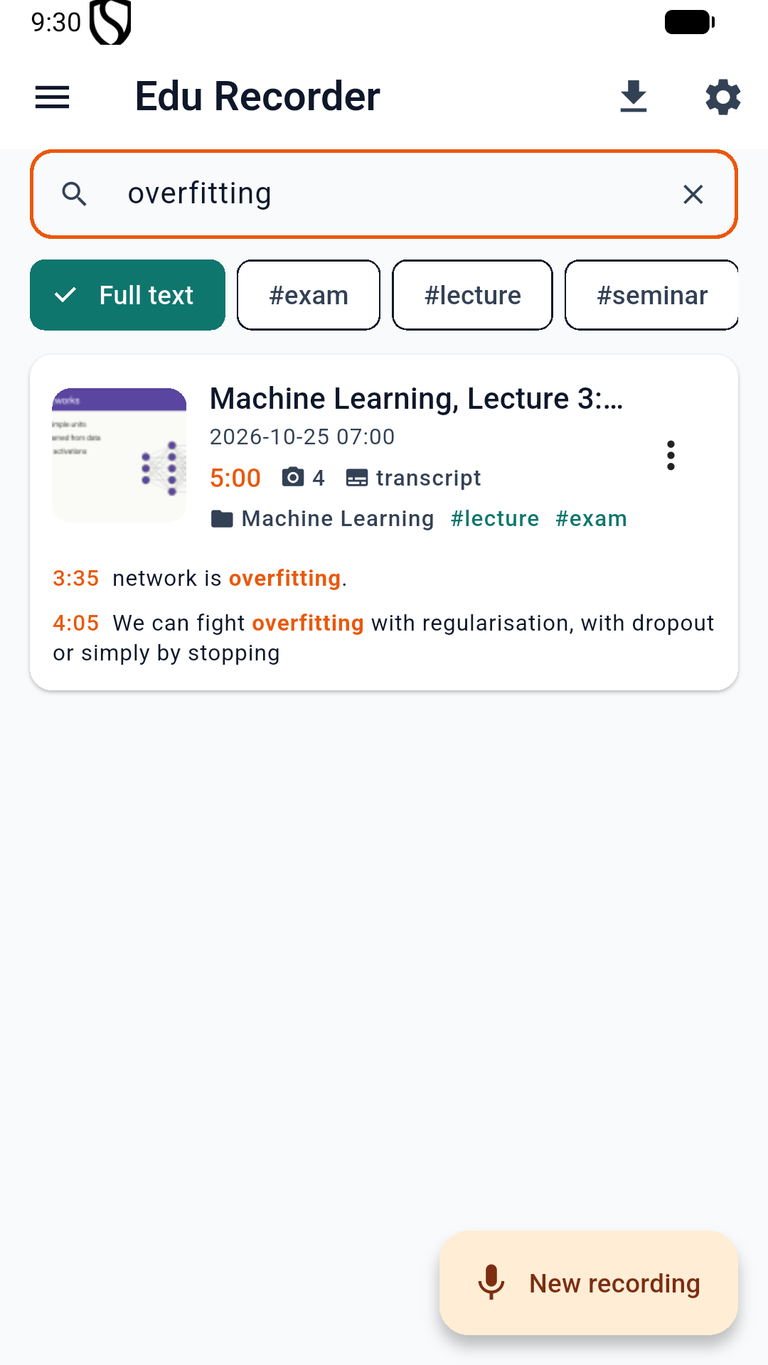
- Full-text search across all recordings, folders and tags, editing of the transcript and the audio.
Export and sharing
Export a recording as a video with the slides, as audio (.m4a, .wav), as a transcript (.txt, .srt), as a zip of the photos, or as an encrypted archive (.edurec) to move it to another device.
Privacy
Recordings, photos and transcripts stay on your device. There is no account, no advertising and no analytics. Audio leaves the device only if you choose ElevenLabs transcription with your own key. Read the full privacy policy.
Interested?
Want to use Edu Recorder in your studies or teaching, or have questions or feedback? Just let us know.